Fiber and MOPA markers
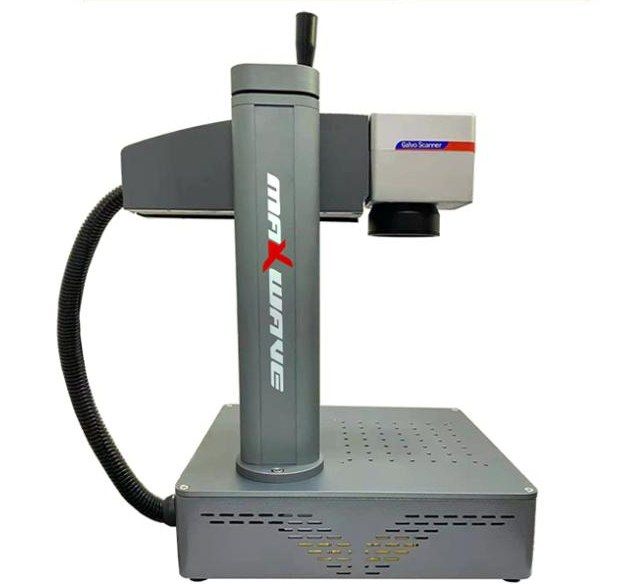
Integrated Fiber Laser Marking Machine 30–50 W
- Laser power
- 30–50 W
- Marking speed
- ≤ 8000 mm/s
- Marking depth
- 0.01–2 mm
Fiber and MOPA markers
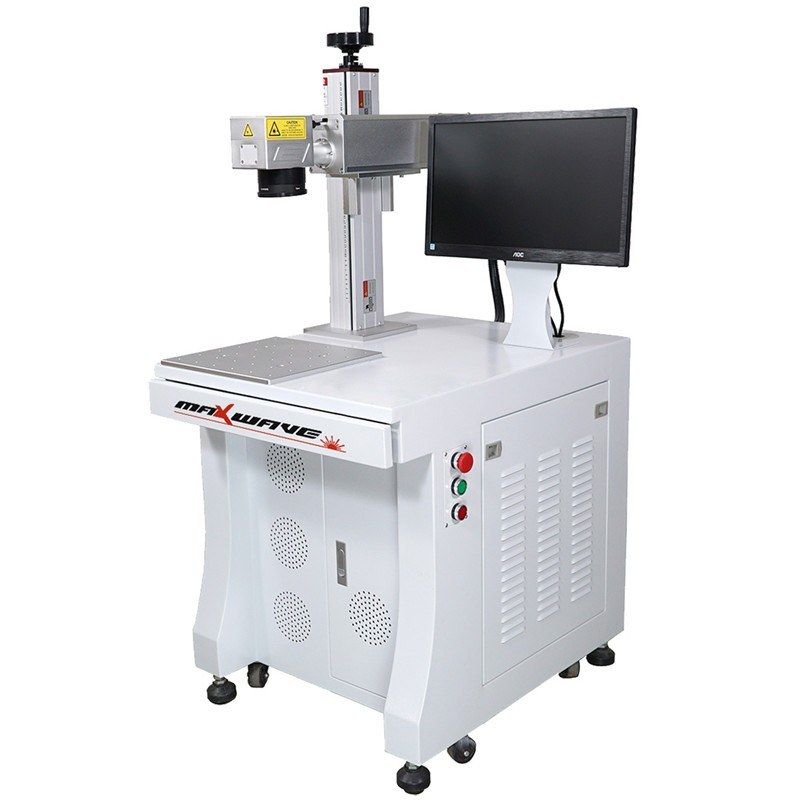
A table-style fiber laser marker for permanent marks on metals and engineering plastics. Air-cooled fiber sources from 20 to 100 W drive a galvo head over fields from 110 × 110 to 300 × 300 mm, with EZCAD software. It suits workshops and production lines that mark serial numbers, logos, barcodes and dates on parts in batches.
This is the standard fiber laser marker in the Maxwave range. A fiber laser source at 1064 nm feeds a galvanometer scan head on a lifting column. The galvo mirrors steer the beam across the work table, and EZCAD turns text, logos, barcodes and dates into scan paths. Changing a design takes a few clicks and needs no tooling.
The mark is made in the surface of the part itself, so it does not rub off like ink or peel like a label. At up to 7000 mm/s the machine handles batch work on small parts. With a 50–100 W source it also engraves, to a listed depth of 0.4 mm.
The machine marks metals such as stainless steel, mild steel and aluminium, as well as ceramics and engineering plastics such as PVC, ABS and PE. Typical jobs include:
Every machine carries Maxwave’s 2-year whole-machine warranty, and we offer free operator training at our factory in Wuhan.
Talk to an engineer
Tell us the material, thickness and the result you need. An engineer replies with a matched configuration and a quote.
Send your job detailsNeed a different setup?
This site shows only part of our range. Other powers and sizes, custom builds and everything around the machine are available on request.
Ask for the restRelated guide
Fiber, UV or CO2 laser markingData
| Laser source | Raycus or IPG fiber laser |
|---|---|
| Laser power | 20 / 30 / 50 / 75 / 100 W |
| Wavelength | 1064 nm |
| Pulse frequency | 20–100 kHz |
| Marking area | 110 × 110 / 150 × 150 / 175 × 175 / 200 × 200 / 300 × 300 mm |
| Marking speed | ≤ 7000 mm/s |
| Marking depth | ≤ 0.4 mm |
| Minimum line width | 0.01 mm |
| Minimum character height | 0.15 mm |
| Repeatability | ±0.002 mm |
| Response time | 0.5 ms |
| Marking content | Text, graphics, dates, barcodes |
| Control software | EZCAD (Windows) |
| File formats | BMP, JPG, GIF, TGA, PNG, TIF, AI, DXF, DST, PLT |
| Cooling | Air |
| Power consumption | ≤ 1.2 kW |
| Power supply | 220 V / 50 Hz |
| Operating temperature | 5–40 °C |
| Humidity | ≤ 90 %, non-condensing |
Specifications vary by power option and field lens; confirm with us for your configuration.
Wuhan Maxwave Laser Technology Co., Ltd. · sales@zerolineai.com · +44 7762 362563 · Specifications may change; confirm your configuration with us.
Fit
FAQ
Steel, stainless steel, aluminium and other metals, plus ceramics and engineering plastics such as PVC, ABS and PE. Results on plastics depend on the grade and colour, so send us a sample to test before you order.
20–30 W covers most surface marking: serial numbers, logos and QR codes. 50–100 W is for deeper engraving (the listed maximum is 0.4 mm) and shorter cycle times. Tell us the material, depth and quantity and we will recommend a source.
No. The fiber source and scan head are air-cooled, and the machine draws no more than 1.2 kW from a 220 V / 50 Hz supply.
It runs EZCAD on Windows and imports BMP, JPG, GIF, TGA, PNG, TIF, AI, DXF, DST and PLT files, so artwork from AutoCAD, CorelDRAW or Photoshop can be used directly.
The standard supply is 220 V / 50 Hz. Voltage and plug can be customised; tell us your local supply when you ask for a quote.
Fiber and MOPA markers
Fiber and MOPA markers
Fiber and MOPA markers